7 Powerful Reasons to Use Free Download Manager for Windows 11 (2026 Guide)
Free Download Manager (FDM) is one such application that perfectly fits in here: it is a lightweight tool that quickly boosts your download speeds, manages multiple downloads, and even lets you support some torrent files.
Whenever you want to download large files on your PC quite often, you will know how slow or unstable browser downloads can be. This is where Free Download Manager (FDM) comes in — a powerful and completely free external download tool. If you’re using Windows 11 and facing slow downloads, you may also want to read our complete guide on upgrading to Windows 11 for better performance.
This guide will give you an in-depth understanding of the features and benefits, pros and cons, system requirements, and how you can best utilize Free Download Manager for Windows.
What is Free Download Manager?
This download manager improves overall downloading performance, resumes interrupted downloads, and speeds up file downloads. It can handle all protocols-HyperText Transfer Protocol (HTTP), HyperText Transfer Protocol Secure (HTTPS), File Transfer Protocol (FTP), and BitTorrent-and integrates flawlessly with all popular browsers-Chrome, Edge, Firefox, and Opera.
Owing to its simpler interface yet ready with advanced features, FDM has vast popularity among Windows users and is used to download large files, videos, software, and torrents.
Key Features of Free Download Manager For Windows
1. Faster Download Speeds
FDM uses multi-threaded technology to boost your download speed. Files are broken into segments and downloaded in parallel.
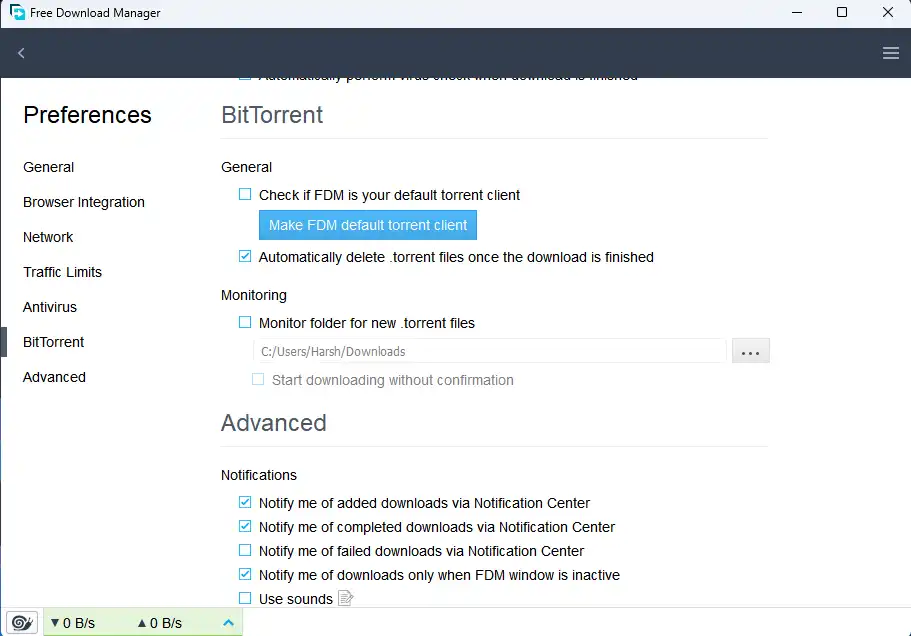
2. Supports Torrents
No need for a separate torrent app. FDM supports .torrent files and magnet links.
3. Resume Broken Downloads
Lost the internet connection? Interrupt the download for a moment? With FDM, you can pause, resume, or schedule your downloads so nothing will ever be lost.
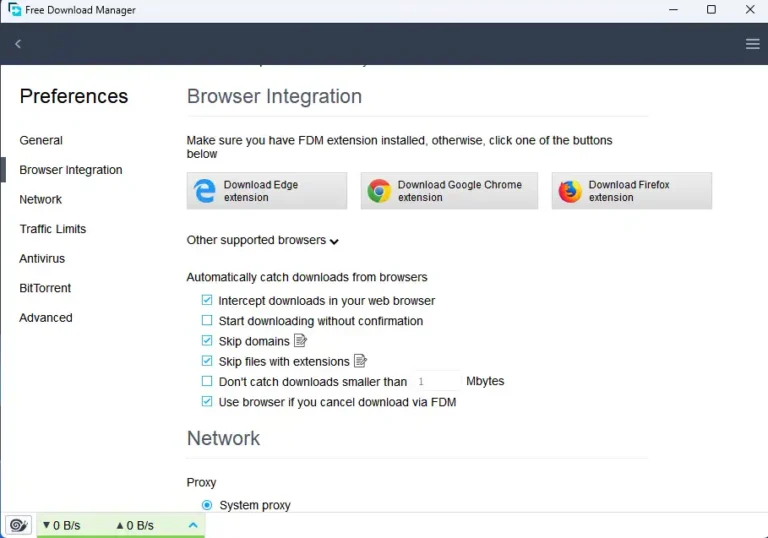
4. The Browser Integration
Compatible with:
- Google Chrome
- Mozilla Firefox
- Microsoft Edge
- Opera
Simply access the download link, and FDM will grab it immediately.
5. Managing Your Downloads
Build categories like:
- Software
- Videos
- Games
- Documents
Bandwidth limits can also be set so that your downloads won’t affect web browsing speed.
6. Downloading Videos
Its help you choose file types and quality and facilitates downloading from many media sites.
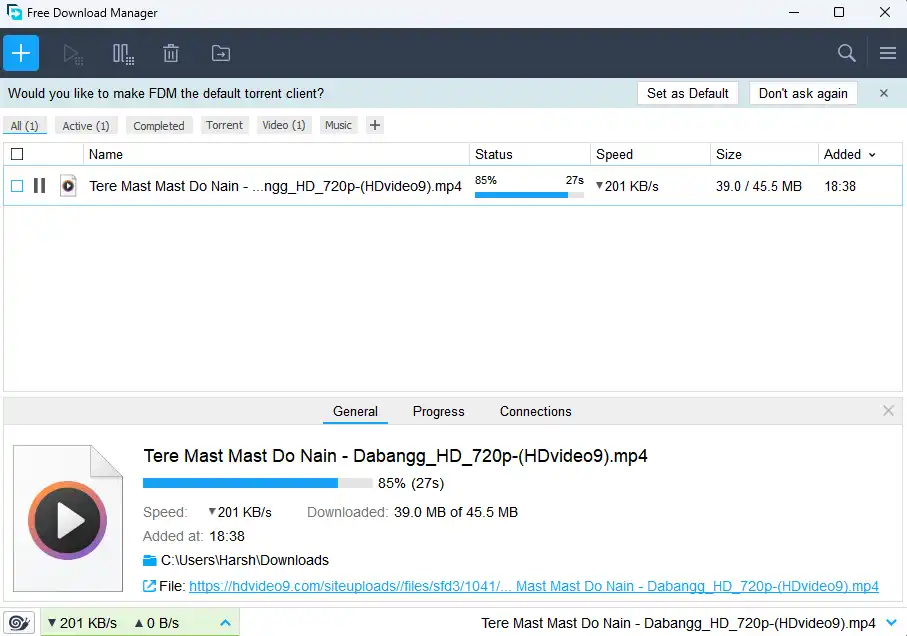
7. Simple, Modern UI
While it provides advanced functions suited for professional users, the UI is highly usable and suitable for beginners.
System Requirements
| Component | Requirement |
| Operating system | Windows 7/8/10/11 |
| RAM | 1GB or Higher |
| Storage | 50MB free space |
| Internet | Required |
How to Download & Install Free Download Manager on Windows
Follow the steps below:
Step 1: Download FDM
Click the official button on the FDM website to download the Windows installer.
Step 2: Run the Installer
Double-click the downloaded .exe file.
Step 3: Complete Setup
Select your language → Accept the terms → Choose installation folder.
Step 4: Launch FDM
Open the program and it’s ready to use.
How to use Free Download Manager
- To add a download link
Paste the URL → hit Download.
- Downloading torrents
Drag it or drop the torrent files, or paste the magnet links. - Schedule downloads
Set a start/stop time for your downloads.
- Adjust speed
Use the “Speed Control” panel for custom limits.
Is Free Download Manager Safe?
Yes, FDM is completely safe.
It is:
- Open-source
- Free from ads
- Free from spyware
- Regularly updated
Security researchers and the open-source community consistently verify its safety. You can scan downloaded files using Windows Security or other trusted antivirus tools.
Why Free Download Manager is Popular in 2026
In 2026, many users still rely on FDM because:
- The product offers no cost to users.
- The application functions without problems on current Windows operating systems.
- The system enables users to download extensive software packages.
- The tool enables users to download files through both torrent and direct download methods.
FDM functions as an essential productivity tool which bloggers gamers developers and students need for their work.
Tips to Increase Download Speed Further
The following actions will help you achieve better speed results when using FDM:
- You should connect your device to a wired internet network for better performance.
- You should shut down all applications which run in the background.
- People should stay away from using the internet during times when most people access it.
- You should select servers which provide service from locations that are nearest to your current position.
- Your internet speed will improve when you choose to upgrade your internet service.
The combination of these tips together with FDM acceleration feature provides users with the best performance results.
Free Download Manager vs Browser Download
| Features | Browser download | Free Download Manager |
| Speed Acceleration | No | Yes |
| Resume Support | Limited | Full support |
| Torrent Support | No | Yes |
| Scheduling | No | Yes |
| File organization | Basic | Advanced |
Clearly, FDM offers far more control and performance than default browser downloads.
FAQs
Q1. Is Free Download Manager really free?
Ans. Yes, it is 100% free without hidden charges.
Q2. Does FDM support Windows 11?
Ans. Yes, it works perfectly on Windows 11.
Q3. Can FDM download YouTube videos?
Ans. FDM supports video downloading, but its availability depends on the website’s policies and permissions.
Q4. Is it better than browser download?
Ans. Yes, it downloads large files without causing any damage.
Who Should Use Free Download Manager?
Free Download Manager serves as the optimal solution for users who frequently download large files which include software installers and ISO files, video content and games. FDM acceleration and resumption features provide significant advantages to students who download study materials and bloggers who work with digital assets and gamers who need game updates and professionals who handle large project files.
The software serves as an excellent option for users who experience internet connection problems. FDM enables users to resume their downloads from the point of interruption which saves them both time and bandwidth. The presence of a single tool which combines torrent downloading and direct file downloading functions streamlines your work process while making it more productive.
Conclusion
It is a powerful, reliable, and completely free solution for Windows users who want to achieve faster speeds and better control and improved download stability.
FDM provides users with all essential features through its free service which includes download acceleration and resume support and torrent compatibility and browser integration and smart file organization. The software operates effectively on current Windows 10 and Windows 11 systems, making it suitable for students and professionals and gamers and bloggers.
Free Download Manager provides users with a strong free option which competes with premium customization features of Internet Download Manager during the year 2026.
Free Download Manager provides users with an essential installation option because it delivers fast and dependable performance for nonpremium users who download substantial files.
Technical Specification
License
Free
Version
6.33.1
Latest Update
19/02/2026
Operating System
Windows
Developer
Freedownloadmanager
License
Free
Version
6.33.1
Latest Update
19/02/2026
Operating System
Windows
Developer
Freedownloadmanager
- Positive
- Faster download acceleration.
- Resume broken downloads easily.
- Built-in torrent downloader
- Simple interface.
- Completely free for lifetime.
- No intrusive ads
- Negative
- The interface is simple.
- Occasional browser extension permission prompts
- Torrent features are lighter than full torrent clients
Advertisement
Recent Posts