Key Features of Zoom Meeting for Window
1. High-Quality Video and Audio
Zoom provides HD video and crystal-clear audio, making virtual meetings feel more natural and professional. The system adjusts video quality according to the user’s current internet connection speed.
2. Screen Sharing
The most efficient feature of Zoom enables users to display their computer screen to others. Users have the ability to share their screen through different display options which include:
- Entire desktop
- Specific application window
- Browser tab
- PowerPoint slides
This feature offers essential support for various functions which include conducting presentations and teaching online and working together in teams.
3. Meeting Recording
The Zoom application for Windows enables users to capture their meetings through local recording which saves the content to their computer. This is helpful for:
- Training sessions
- Online lectures
- Business meetings
The recorded content is available for storage in MP4 format which enables users to access and share the files.
4. Chat and File Sharing
Zoom includes a built-in chat feature where participants can send messages, links, and files during a meeting. The application allows users to engage in both private conversations and group discussions.
5. Virtual Backgrounds
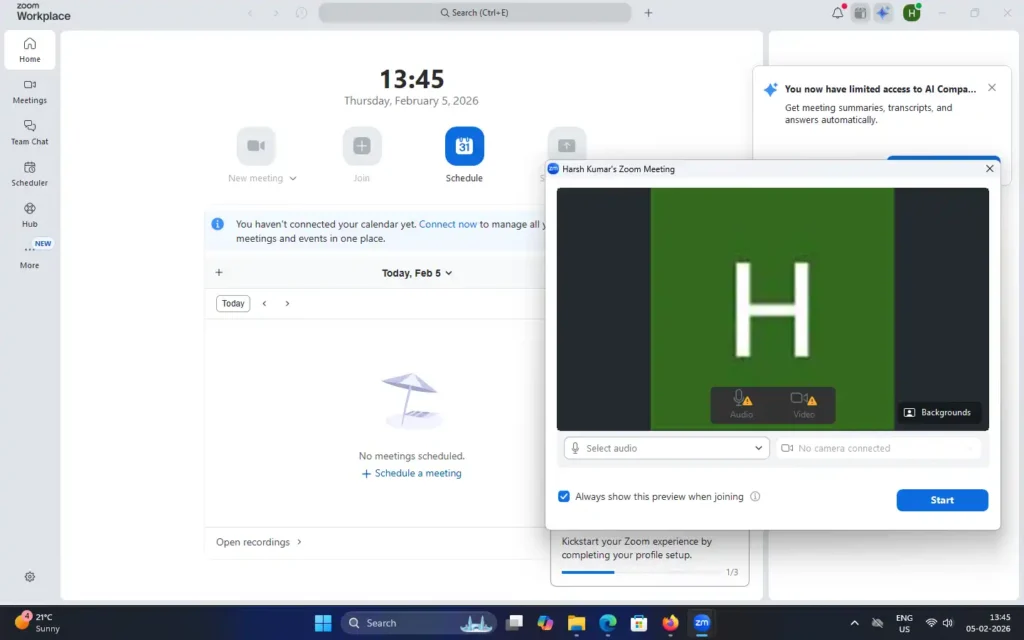
With Zoom’s virtual background feature, you can replace your real background with images or videos. This function enables users to maintain a professional appearance while they work at home.
6. Breakout Rooms
Zoom provides breakout rooms as a feature which enables hosts to create smaller discussion groups from their online class participants who attend workshops.
7. Security and Privacy
Zoom has made major enhancements to its security capabilities by introducing these new features:
- End-to-end encryption
- Waiting rooms
- Meeting passwords
- Host controls
These security features enable the host to safeguard their meetings from unauthorized entry.
System Requirements for Zoom on Windows
Before installing Zoom Meeting on Windows, make sure your system meets the minimum requirements.
| Component |
Minimum Requirements |
| OS |
Windows 7,8,10 or 11 |
| Processor |
Dual core 2GHz or Higher |
| RAM |
4GB (8GB Recomended) |
| Internet |
Required |
Zoom works smoothly on most modern Windows PCs and laptops.